How Do I Download My Facebook Photos
If you've been using Facebook regularly for years, don't forget to back it up. Y'all'll be surprised how much data y'all take on the social network and might desire to delete.
If you are a heavy Facebook user, the number of photos, videos, and other data you lot've uploaded to the site tin can be massive. And so from time to time, y'all should download a total copy of all photos and other data uploaded to your account.
And you'll definitely want to get a full backup if you want to deactivate your business relationship and just use FB Messenger. Or become a full backup of your information if you're going to permanently delete your account.
The process of downloading your information isn't complicated, you only need to know where to look in settings. Here'south what you demand to practice to get a total backup of your photos, videos, and other information from Facebook.
Annotation: This article has been updated to reflect the changes in the Facebook user interface and downloading process.
Request a Copy of All Your Facebook Data
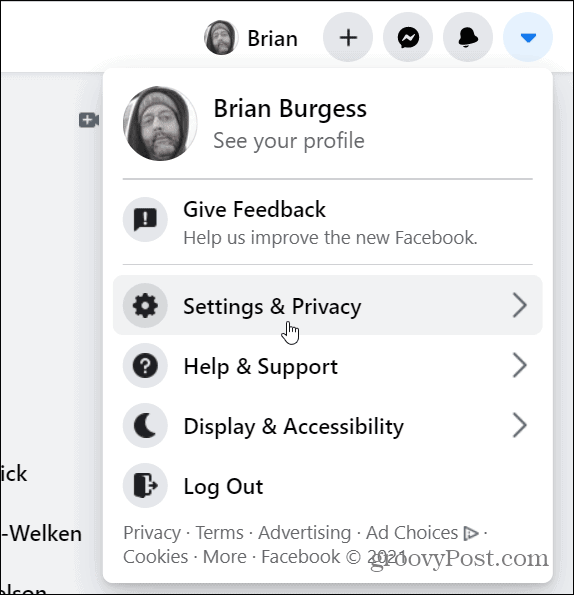
To go started, head to Facebook in a browser on your desktop and log into your account if you aren't already. So, click the Account (downwards arrow) button in the upper-right corner and click Settings & Privacy.
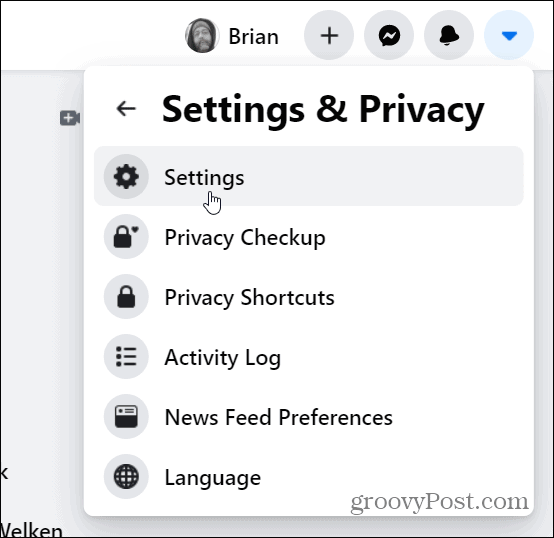
Side by side, click on Settings from the carte.
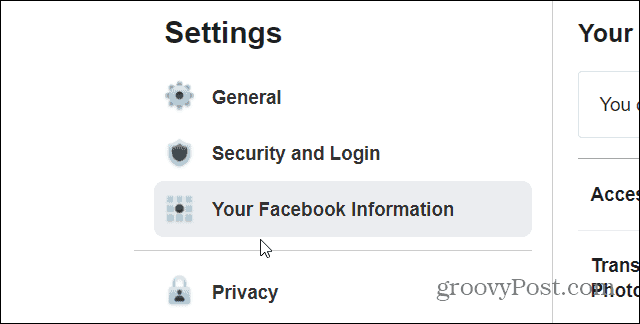
On the next page, click Your Facebook Data from the left panel.
Now from the menu on the right, click the View link adjacent to the "Download Your Data" category.
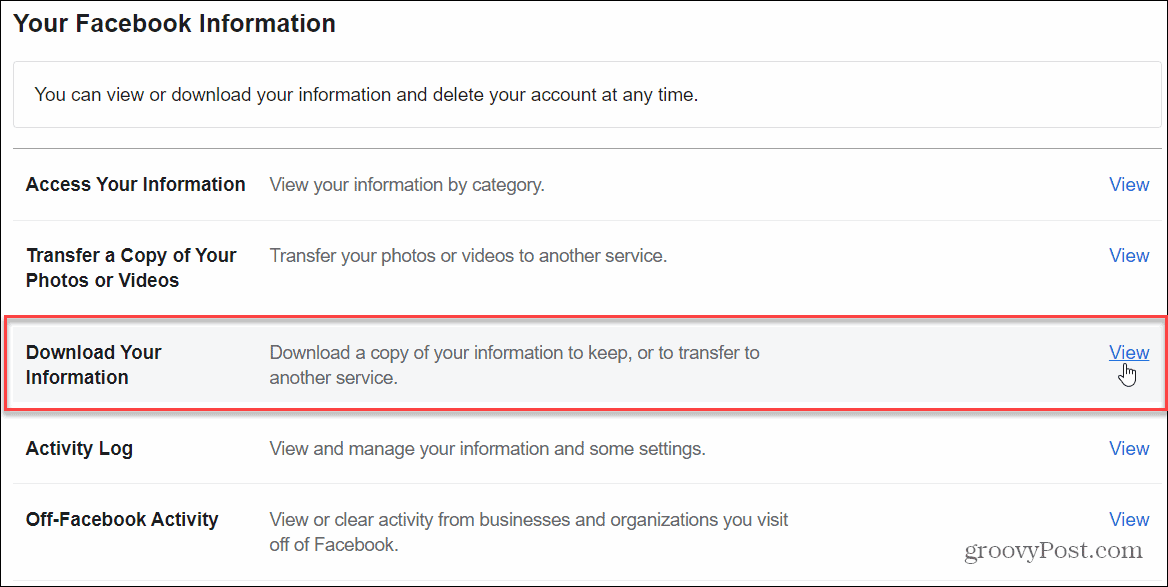
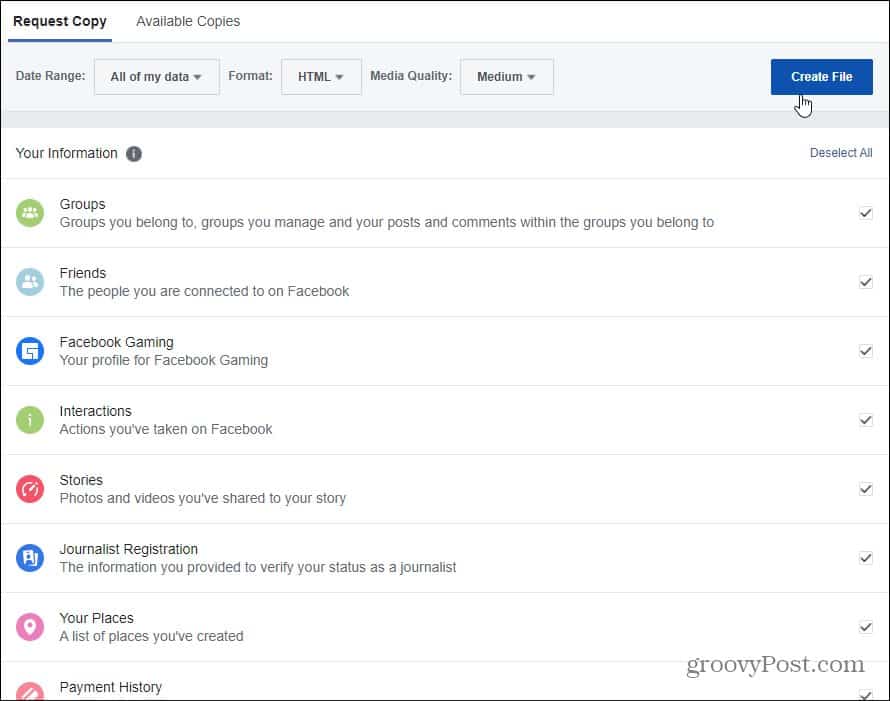
On the following page, y'all take some options. Facebook allows yous to request a copy of all your data, data from a specific engagement range, HTML or JSON format, and media quality.
Note: Select HTML for an easy-to-view and review archive of your information. It's the option that's all-time for most users. Select the JSON format if you want to import your data to another app or service.
You can too scroll down the "Your Information" list and check what you do or don't desire to download. By default, everything is selected such as Groups, Likes and Reactions, Photos and Videos, Messages, and more.
Since nosotros want a full re-create of everything, merely proceed all of the default settings and click the Create File button.
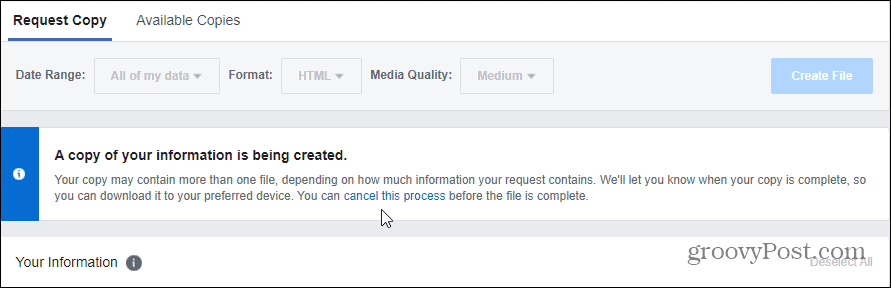
Side by side, y'all will see a message that a copy of your data is beingness created. Facebook will notify y'all when the file is ready to be downloaded. The amount of time it takes volition vary depending on the amount of data you requested. If you lot desire to terminate the process you lot tin click the "cancel this procedure" link in the message.
While your file is being prepared for download, you can continue using Facebook. Only keep in mind that some of your data uploaded after the request won't be contained in the backup.
Download Your Facebook Data File
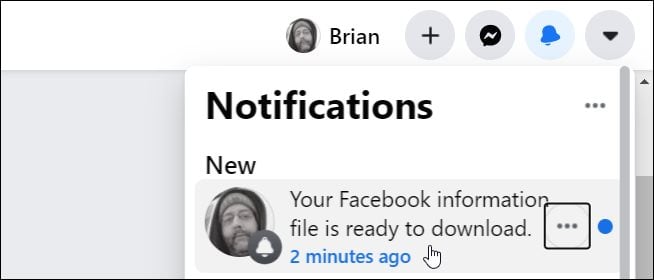
One time the re-create of all your requested Facebook data is ready to be downloaded y'all'll get a notification message. Click the notification.
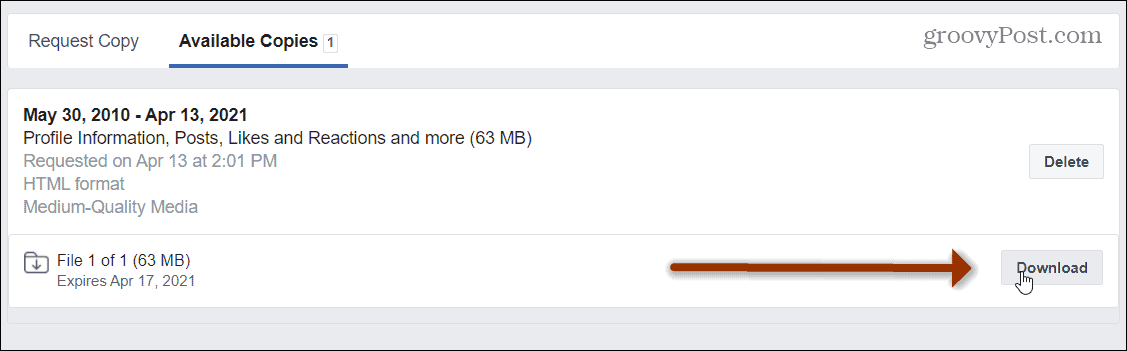
Yous'll be brought to the following folio where you tin download your data file. You lot tin can see when the copy was requested, the file format (in this case HTML), and the media quality. Notation that you only accept a few days to download it before it expires. Click the Download push button.
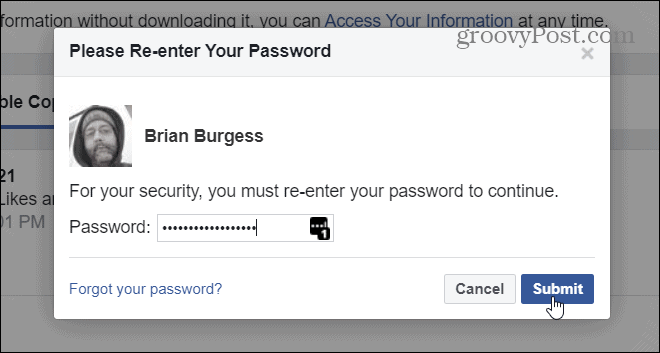
Earlier you can download the file you will need to re-enter your account countersign and click Submit.
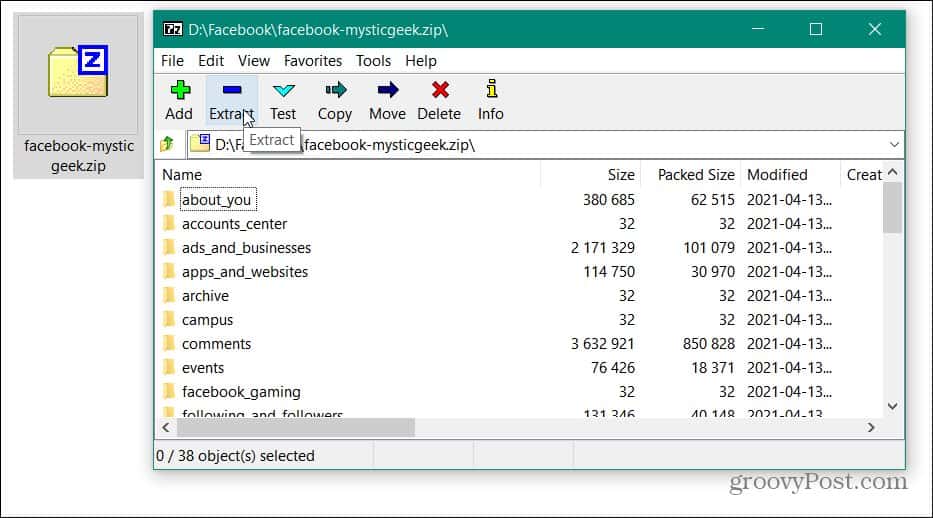
Now go to the folder where your file was downloaded and extract everything from the Zip file. Everything in your archive is pretty straightforward. Only for more details on everything that'southward indexed to your archive check out this Facebook support folio.
One time you excerpt the zip file y'all tin can offset looking through all of your Facebook information. There's a lot to rummage through if since nosotros selected to include everything. Just open up a folder and double-click the file you desire to view.
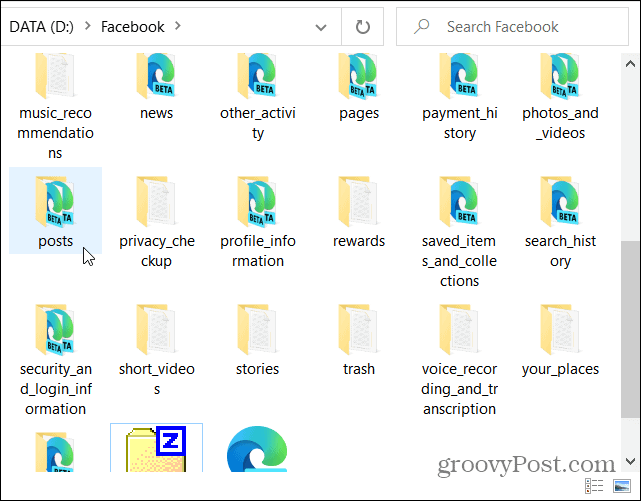
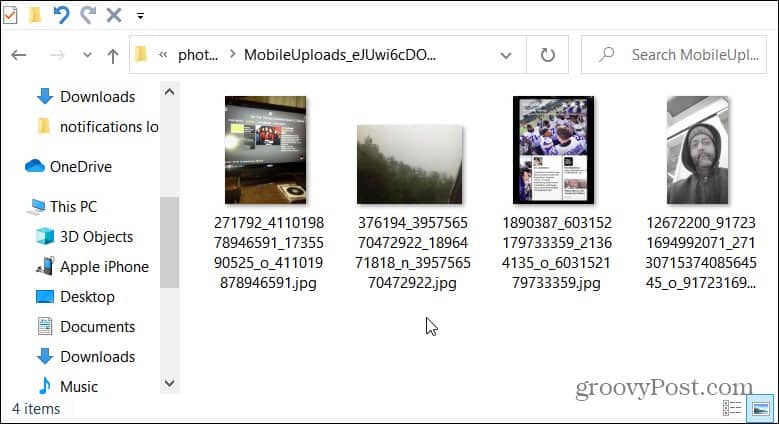
Some folders volition comprise copies of the actual files yous uploaded like in the "Mobile Uploads" folder, for example.
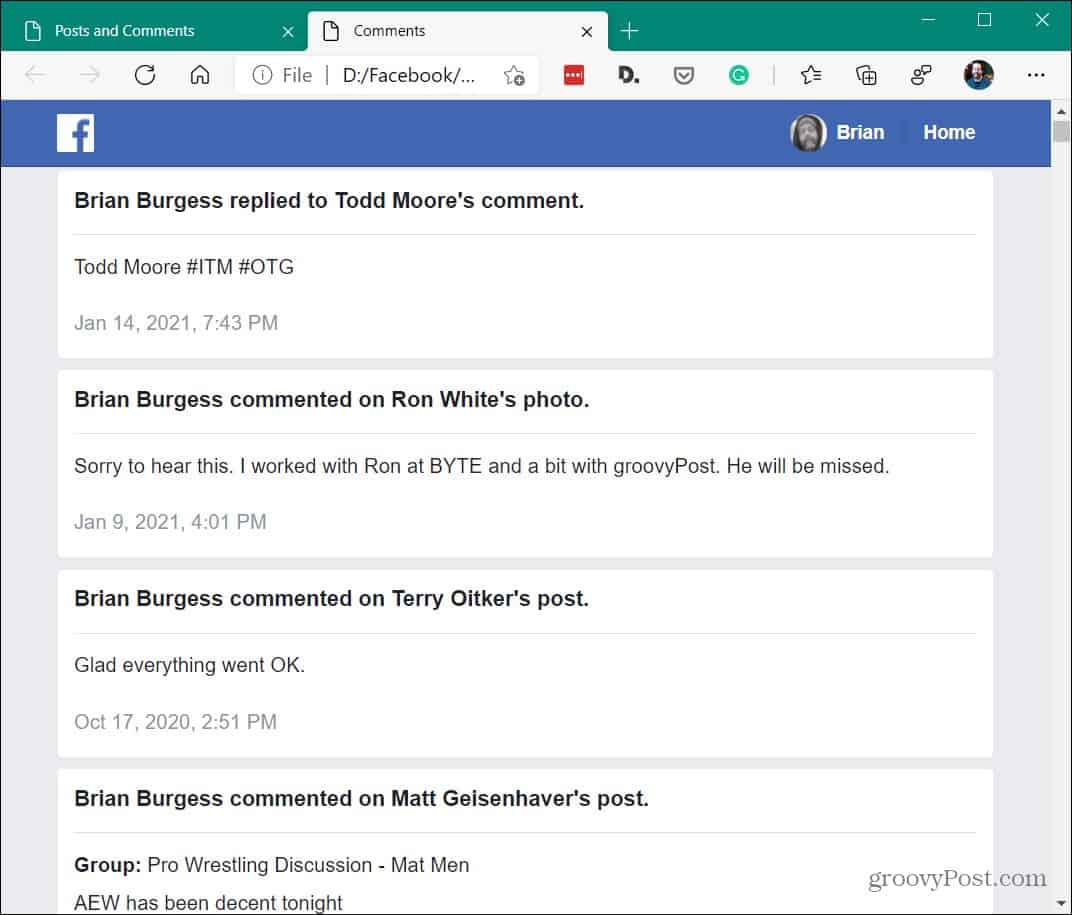
Others will have HTML files that will open in your default browser and you tin can view them while offline. For example, hither I opened my "Posts and Comments" HTML file in Microsoft Edge. You can view your archived pages just like you would on the website.
Summing Upwardly
That'due south all at that place is to it. Again, there is a ton of content to browse through if you want. It can be fun to go back in time and see what you were chatting almost or view photos and videos you uploaded back in the day. You might likewise be a bit creeped out most how much data Facebook keeps on y'all. Any the example, it's important to know how to download a full re-create of your data.
For more on getting archived copies of data from other social media services check out how to download your Twitter history. Or perchance you desire to do the same matter with Google. Check out how to use Google Takeout.

DOWNLOAD HERE
Posted by: keelfarn1951.blogspot.com


0 Komentar
Post a Comment