✔ What's Absurd
1. Looking for inspiration? Whether yous're designing a home or searching for travel ideas, practiced ideas start on Pinterest.
2. Create extra storage space in your home, turn an old t-shirt into a stylish dress, or program your next vacation with Pinterest.
Software Screenshots


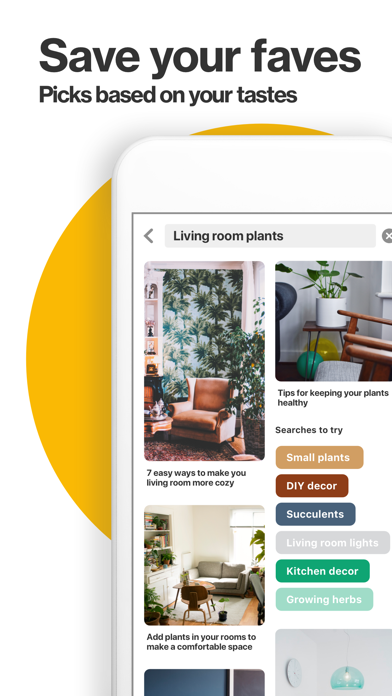
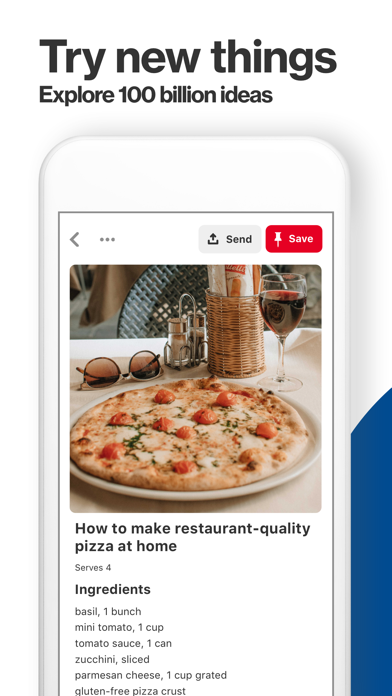

Download and install Pinterest on your Laptop or Desktop reckoner
Hurray! Seems an app similar pinterest is available for Windows! Download below:
| SN | App | Download | Review | Maker |
|---|---|---|---|---|
| 1. |  Pinterest | Download | 5/v 499 Reviews 5 | Pinterest Inc. |
| 2. |  Pin Pro for Pinterest | Download | two.5/five 12 Reviews 2.5 | Lephco |
| 3. |  Piny - Pinterest with love | Download | four.eight/5 302 Reviews 4.viii | Chococode |
Non satisfied? Check for compatible PC Apps or Alternatives
Or follow the guide beneath to use on PC:
If you want to install and use the Pinterest app on your PC or Mac, you volition demand to download and install a Desktop App emulator for your computer. We take worked diligently to help you empathize how to use this app for your computer in iv simple steps beneath:
Step 1: Download an Android emulator for PC and Mac
Ok. First things first. If you desire to use the application on your computer, outset visit the Mac shop or Windows AppStore and search for either the Bluestacks app or the Nox App >> . Most of the tutorials on the spider web recommends the Bluestacks app and I might be tempted to recommend it too, considering you are more probable to hands discover solutions online if you have trouble using the Bluestacks application on your figurer. You can download the Bluestacks Pc or Mac software Hither >> .
Pace 2: Install the emulator on your PC or Mac
Now that you lot take downloaded the emulator of your choice, go to the Downloads folder on your computer to locate the emulator or Bluestacks application.
Once yous have found it, click it to install the application or exe on your PC or Mac computer.
Now click Next to accept the license agreement.
Follow the on screen directives in order to install the application properly.
If you do the above correctly, the Emulator app volition exist successfully installed.
Step 3: for PC - Windows 7/viii / eight.1 / 10 / 11
Now, open the Emulator application you have installed and wait for its search bar. Once you found it, type Pinterest in the search bar and printing Search. Click on Pinterestapplication icon. A window of Pinterest on the Play Store or the app shop will open and it will display the Store in your emulator awarding. Now, press the Install push button and like on an iPhone or Android device, your awarding will start downloading. At present we are all washed.
Y'all will see an icon chosen "All Apps".
Click on it and it will have y'all to a page containing all your installed applications.
Y'all should come across the icon. Click on it and start using the application.
Step 4: for Mac Bone
Hi. Mac user!
The steps to apply Pinterest for Mac are exactly like the ones for Windows OS above. All you need to exercise is install the Nox Awarding Emulator or Bluestack on your Macintosh. The links are provided in stride one
Demand assistance or Can't find what you need? Kindly contact us hither →
Pinterest On iTunes
| Download | Developer | Rating | Score | Current version | Developed Ranking |
|---|---|---|---|---|---|
| Free On iTunes | 3719266 | 4.80951 | 9.2 | 12+ |
Give thanks you for reading this tutorial. Accept a nice day!
Pinterest Software Features and Clarification
Looking for inspiration? Whether y'all're designing a home or searching for travel ideas, good ideas start on Pinterest. Explore over 100 billion new ideas for every part of your life, from what haircut to get to what to make for dinner. Create extra storage space in your dwelling house, turn an old t-shirt into a fashionable dress, or programme your next vacation with Pinterest. 3 Reasons to start finding and saving ideas on Pinterest: 1. Discover everyday inspiration and explore articles on trending and recommended topics. 2. Collaborate with friends for your next grouping trip, party or project. iii. Run into an thought out in the earth that yous like? Just snap a photo of information technology with Pinterest Lens to find how to buy, brand, or do it! Discover new possibilities and save what y'all find. Discover inspirational ideas from anywhere on the internet. Get ideas for the topics you care about nearly: - Travel and fitness tips - Manner and style - Home design and compages - Food and cooking - Wedding inspiration To start saving and sharing Pins, download at present.
Top Pcmac Reviews
-
❤️Love This App❤️
By Avey gravy (Pcmac user)
I've had Pinterest for perhaps about four days now and I love it. It'southward a great app for ideas for a dream room, or a birthday party. On the other hand though, there is some bug. I don't know atmospheric condition or not to call these adds or adds that are pins, merely some are inappropriate. Zippo existent bad, but a lot of them show boobs! A child under xiii should probably not have this app. Another slight problem is that some pins have me to websites. Ok well-nigh people don't have a problem with this, just I practice I find it quite annoying. I don't want to go to a whole other website, or download an app to learn how to loose weight, or exercise a diy. And if it isn't going to take me to a website then it doesn't tell me at all. If I click on a pin that says it volition teach me how to whiten my teeth, and doesn't show me how then how am I supposed to do it. Not all pins exercise either of these things of coarse. Pinterest is still a great app simply some things need to be fixed. I have been addicted to this app despite my problems, so everything is still workable. I'k virtually to motility, then this is app is really helpful currently. If the developers could just fix these slight bugs, I believe this would exist a great and helpful app to all ages. Thanks for taking time to read my review if you did, and I promise it was helpful to those about to download the app.
-
Best affair always
By Rosycheeks13 (Pcmac user)
Thanks to Pinterest I can limited myself throughout creativity and just fine art boards and just all these boards that I tin make and I can limited myself through them I remember my favorite two boards is probably my Jesus Christ i and my photography considering those are two actually important things in my life and this is a actually keen app for all ages and I do recommend it to anyone who is eligible to have information technology. And I first got it when I was about xi and I just got an iPod not a phone but my parents wouldn't let me have whatsoever kind of social media and so this was kind of like a social media for me and I very much enjoyed it you can fine inappropriate things on there if you search them upwardly I take never search them up just if you click on the wrong link or something it could pb to something and so simply be mindful when you accept your kids on at that place it will enquire yous of similar things that you're interested in just brand sure that you are looking over that because there are things on there that maybe you should wait over with them other than that it's an first-class app and in less you lot're truly searching for something or you merely click the incorrect link you won't find anything bad and I truly absolutely for the very last time do you recommend it to all thanks!
-
Have I reached the end of Pinterest?
Past Tl333333:: (Pcmac user)
I think I've reached the end of Pinterest! I continue seeing the same content over and over again. I only follow around 3000 people's Ms follow more than every calendar week. I accept 9000 followers--which my number of followers slowed down significantly when they changed the feeds and algorithms. I can no longer run into the people who follow me--even though my number of followers go up, information technology's no longer adding profiles to the followers section. I am so sick of seeing advertisements and sponsored content that accept Zilch to do with anything that I would e'er desire to come across from Dwelling house Depot (I retrieve we all kinda know about Home Depot at this betoken) to Pantene hair commercials. The settings for automatic video play do not work. And dare I use the "prove me more than like this push"; Conspicuously Pinterest's taste level has a bug since it unremarkably looks NOTHING like what I've just pinned. I preferred the only method of run into who else has pinned this pinned so that y'all could start following others with your aforementioned taste level and bailiwick matter. Pinterest has go almost equally bad as Houzz for the masses and has go very hard to curate sophisticated collections of idea boards. I utilise Pinterest to work with my clients and promote my business. There are very few settings that you can alter and I am and so tired of seeing the same content over and again! Oh look, I already said that--well now you know how information technology feels!
-
Pinterest user since 2011
Past Beachinnbum (Pcmac user)
I tin't imagine not having Pinterest. I could be without all other websites and social media, but the creative side of me needs my Pinterest fix. I'm able to organize all of my ideas which is smashing for me because my listen runs 90mph with these ideas every twenty-four hours either way. I dear my secret boards. I love trying new things. This twelvemonth I accept a new raised garden bed and redoing my front yard. One of my favorite things about it is that I tin make Pinterest my Chief Wishlist/Registry I don't have to make a bunch of different registries for events... I can add together people to a board and pin things from Whatsoever website. And then I don't take to recall all those passwords for those private sites. (Example: You're having a infant and desire to accept a Target Registry, Babies R United states of america Registry, Buy Purchase Baby Registry, etc etc...) Instead of doing them all separately you can just pin all the products you want from those websites directly to I BOARD on Pinterest. You can add together your friends and family to the lath or you lot can but send them your board link. They tin can follow the link and look at everything you lot've pinned in ane place and brand a buy. You don't need to create registries anymore. Everything I need is available on Pinterest. Thanks y'all!
DOWNLOAD HERE
Posted by: keelfarn1951.blogspot.com


0 Komentar
Post a Comment